Reading device data on a local network: cable to browser
Understand LAN versus internet, drivers, IP addresses, DHCP and web services through a temperature-reading example, troubleshooting and an answered exercise.
Contents
Viewing a device's data in a browser on the same network does not always require the internet. The device and computer need a reachable network path, suitable addresses and compatible software. The device must also run a service that answers the browser. A connected cable or an illuminated link indicator does not, by itself, provide a web page or a valid measurement.
Imagine a workshop temperature monitor. We want to read its temperature and the age of its data from a nearby computer, even if the workshop loses its internet connection. Following the reading from sensor to browser separates the roles of the cable, driver, address and application.
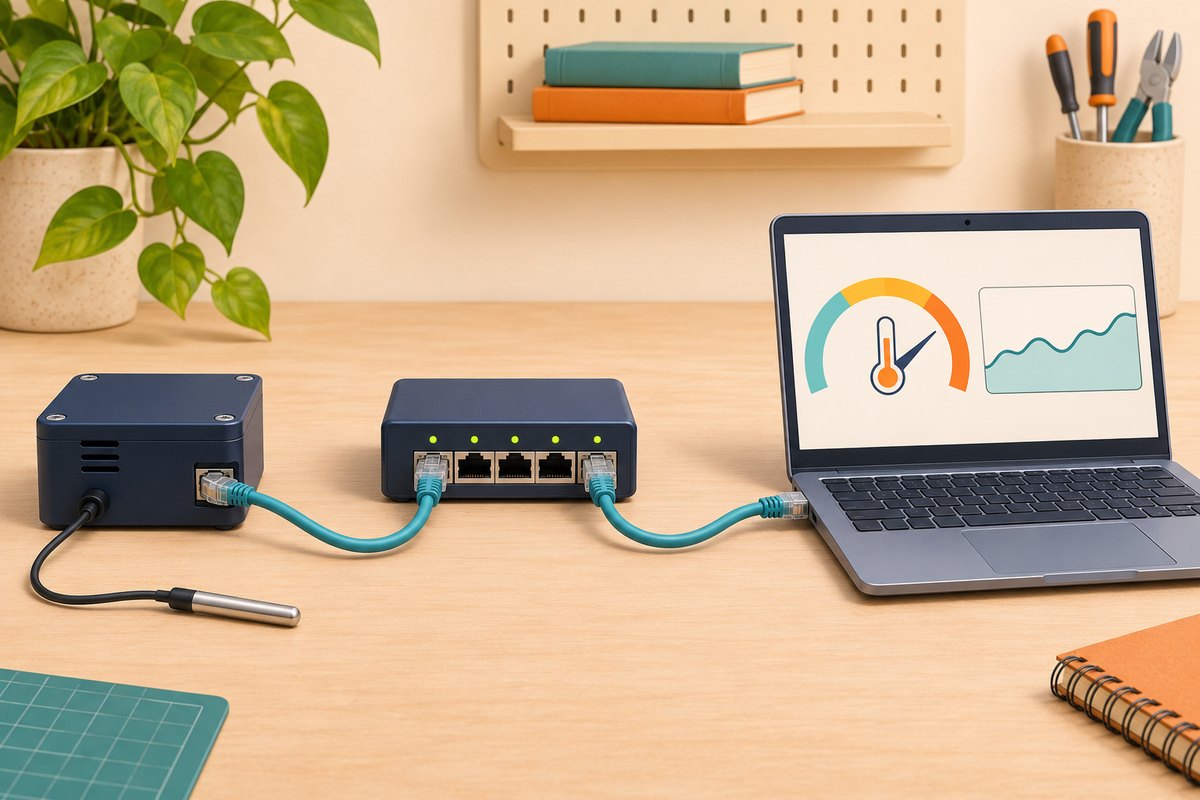
A local network is different from the internet
A network lets devices exchange data. A local area network, or LAN, connects devices in an environment such as a workshop. The internet is a much larger collection of interconnected networks. Communication between two workshop devices can remain within their LAN without traversing the internet connection.
Ethernet is a common form of wired networking. A switch moves data among local network connections. A router provides paths between different networks. The household box often called a modem may combine a modem, router, switch, wireless access point and address-configuration service. Those are separate functions even when they share an enclosure.
If the computer and monitor connect to that box's local side, loss of its internet path need not break their communication. However, offline operation cannot be assumed if the monitor only reports to a cloud server or its interface depends on online files or authentication. Sharing a Wi-Fi name does not establish that devices can communicate directly either: guest networks and client isolation may block that path.
What lies between the socket and the application?
A board holds connected electronic parts; its microcontroller executes the program. The network interface provides hardware for transmitting and receiving data. A driver is software that operates that hardware. A network stack implements rules such as IP and TCP. IP addresses and delivers packets toward their destinations; TCP provides an ordered data stream between applications. Neither establishes that a sensor value is correct.
Designs divide this work differently. Some chips perform part of the network processing, while others leave more of it to processor software. A socket or working driver therefore does not establish the presence of a browser, web service or measurement application. Espressif's Ethernet guide treats attaching the driver to the TCP/IP stack as a distinct step. It illustrates an architecture, rather than providing wiring instructions for every board.
The application must obtain sensor data and return it in a defined format. Our Linux and drivers lesson explains the general driver role. This lesson selects no board or pinout. Even receiving power over a network cable requires an appropriate design at both ends; an Ethernet socket does not automatically provide it.
Where does the IP address come from?
In this lesson's IPv4 example, an IP address contains four numbers separated by dots. It helps identify a network interface along a data path; it is not a permanent chassis identity or a password. DHCP lets a device obtain an address and configuration from a service. A local DHCP service can operate without internet access, provided it is actually running and reachable. A time-limited assignment is called a lease, and the device's address may change later. RFC 2131 defines the mechanism.
Find the current address through the device's documented method, display or application log, or an authorized router device list. An address seen on somebody else's example is not necessarily your device's address. If a fixed address is required, coordinate it with the network plan and DHCP allocation. Choosing an arbitrary address can create a conflict with another device.
Assume a simple test network has a computer at 192.168.10.20 and a device at 192.168.10.50. Both use the mask 255.255.255.0, also written as /24 here. A mask determines which address bits describe the network. In this example the first three numbers, 192.168.10, match, placing the hosts in the same subnet. That conclusion assumes a shared local connection without conflicting routing or isolation policy; it does not guarantee reachability in every installation.
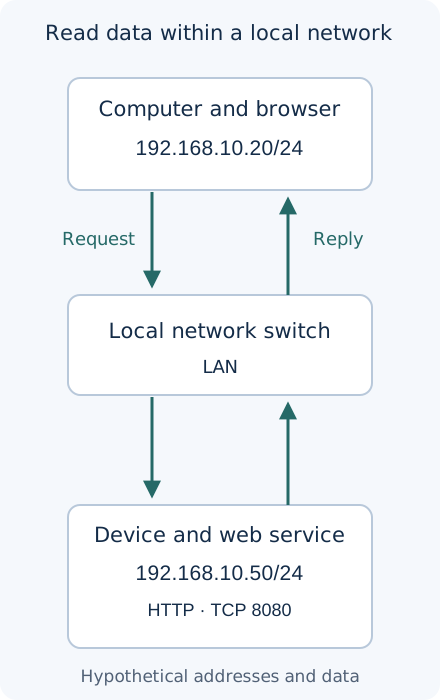
RFC 1918 reserves 192.168.0.0/16 for private networks. A private address does not provide encryption, verified identity or freedom from attackers on the network. Do not copy these example numbers into a real configuration without checking it. For a destination within the same subnet, the default gateway is normally unnecessary in the direct data path. Reaching another network instead requires suitable routing.
Which program does the browser contact?
A server is a program that waits for requests and answers them; it need not run on a large computer. The browser is the client in this example. HTTP defines web requests and responses. A port number selects a service at the destination; it is different from a physical socket. One IP address can have several separate services.
Assume the monitor's developer implemented an HTTP service on port 8080 and assigned /measurement as its data path. Under those assumptions, the browser address is:
http://192.168.10.50:8080/measurement
The http scheme specifies the communication method, the four-part number identifies the destination, 8080 selects the service port, and the final section is the request path. This URL is illustrative; not every device implements that path or port. A numeric IP address needs no DNS name lookup in this example. DNS translates names, such as a device hostname, into addresses. Proxy, VPN or browser policies can also affect the actual path. MDN's URL explanation separates these parts.
An SSH service does not imply an HTTP service. Typing an SSH endpoint into a web browser cannot be assumed to produce a temperature page. Our SSH device-control lesson explains that command path. Plain HTTP does not encrypt the exchange. This example concerns nonsensitive test data, rather than a ready design for internet exposure.
A reply arrived, but is the measurement fresh?
Given an implemented service, the browser sends a request and the device application replies. This hypothetical response uses JSON, a text format with named values. These field names belong to our example's contract, not to a universal sensor standard:
{
  "sample_id": 42,
  "temperature_c": 23.7,
  "age_ms": 500,
  "valid": true
}
The sample identifier is 42, temperature is 23.7 degrees Celsius, and sample age when the reply was formed is 500 milliseconds, or half a second. In our contract, valid means the application accepted the reading; that flag alone establishes neither sensor accuracy nor a real test. If the page refreshes without proper sample and age handling, old data may appear current.
When testing your own device, retain the value, unit, sample identifier or time, and fault status together. Do not replace an invalid reading with zero: zero can be a real temperature. Even a successful HTTP response such as status 200 reports request success according to the server's behavior, rather than physical measurement correctness. MDN's HTTP overview explains the request and response roles.
Why 100 megabits is not application speed
A bit is a zero or one, and a byte contains eight bits. Dividing a nominal line rate of 100 million bits per second by eight gives 12.5 million bytes per second. That is a unit conversion for the line rate. Network overhead, processing, the controller-to-processor interface, memory and application behavior all consume time or capacity. It is not guaranteed web-response or sensor-acquisition throughput.
100,000,000 bit/s ÷ 8 = 12,500,000 byte/s
200 byte/report × 1 report/s = 200 byte/s
200 byte/s × 8 = 1,600 bit/s
Our assumed 200-byte report once per second carries only 1,600 application bits per second, excluding overhead and retries. If a sensor produces one sample every two seconds, refreshing a page ten times per second does not create ten new measurements. Evaluate performance through observed data age and response time under defined conditions. A cable's nominal rate cannot establish a speed winner or a guaranteed latency.
When the page fails, which stage should you check?
Follow the path: correct power and connection according to the device documentation; link status; current address and mask; permitted host-to-host access; a running service on the intended port; then the request path and application response. A link indicator does not establish an HTTP service. Failure to answer ping alone does not prove hardware failure, since its replies may be blocked. A successful ping likewise establishes that kind of reachability, rather than web-service health.
If the page opens without useful data, inspect the requested path, sensor errors, units and sample age. Do not indiscriminately expose a router port to the internet or disable the entire firewall to make a local connection work. Investigate the specific required path and service within an authorized test environment. A cable may suit an installation, but it guarantees neither complete security nor uninterrupted operation.
Answered exercise: three different conclusions
With a /24 mask, are computer 192.168.10.20 and device 192.168.11.50 in the same subnet? If link and ping succeed but the browser cannot connect to port 8080, what remains to check? If sample 42 returns one second later with age 1,500 milliseconds, do we have a new measurement?
Answer and reasoning
Those addresses belong to different /24 subnets; communication requires a suitable path between them. Link and ping do not establish a running, permitted TCP service on 8080 or the correct HTTP scheme and path. An unchanged sample identifier with age increasing from 500 to 1,500 milliseconds is consistent with returning the same sample. A new response is not necessarily a new measurement.
For a modest practical exercise, use only your own test device: identify its current address and documented service, record its reply with timing and status, then list that application's local and internet dependencies. This page supplies no ready firmware for a particular board. All addresses, temperatures and report sizes are hypothetical.
Question and answer article
Ask your technical question
Questions and answers are published after moderation. Authors can see their own pending drafts.
No confirmed questions have been registered for this article yet.