Controlling a light over Ethernet: what SSH on a small device does
Ethernet carries data and SSH protects the command connection. A low-voltage light shows why receiving a command, granting permission and observing a physical result are different.
Contents
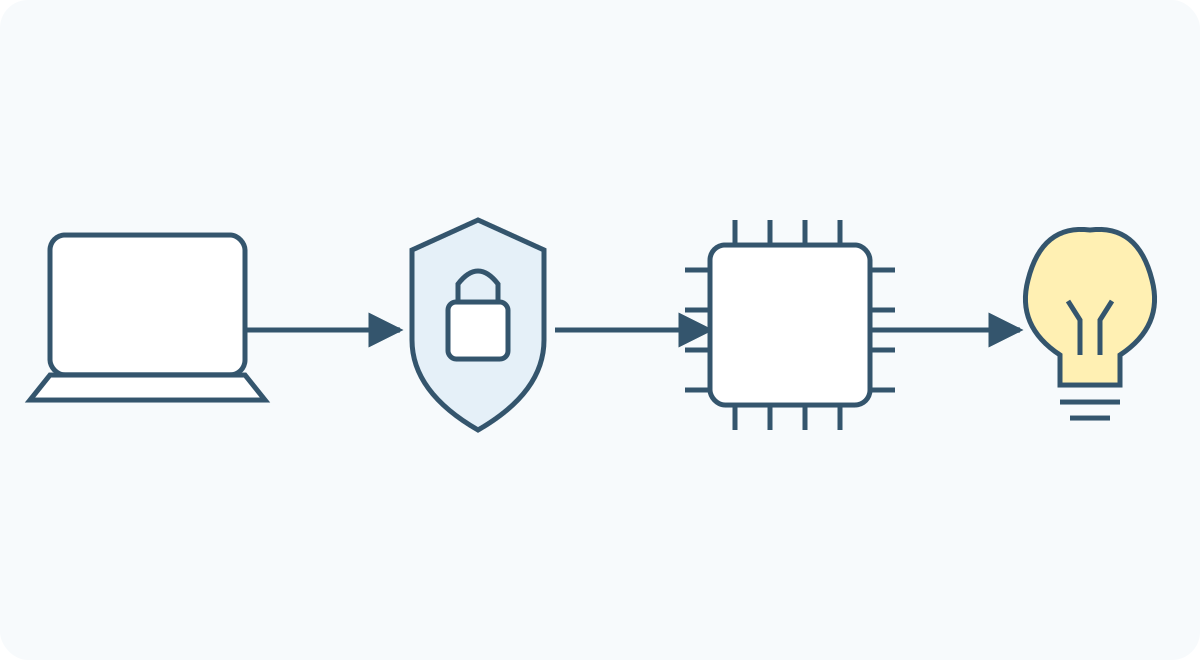
To control a light over a network cable, a device must receive the message, check the sender's permission and turn the command into an output change. SSH protects the command connection. Providing SSH does not make the device a full desktop computer: a small controller can offer just a few specific commands.
Our example is a low-voltage light on a test bench. An authorized user should be able to request on or off from a computer and read the requested state. Receiving a message, permitting a user and physically illuminating the light are three different questions.
What does the small device need?
A board connects electronic components together. One component may be a microcontroller: a small computer that runs a program and controls inputs and outputs. Its program decides what happens after a command arrives. Microcontrollers do not all have the same capabilities or memory.
Ethernet is a common way to carry data over a wired network. The network interface sends and receives the electrical signals on the cable; a connector alone cannot do that. The interface may be part of the main chip or supplied by a separate chip or module. A module is a ready-made assembly that performs part of the job.
Network software is also necessary. IP helps identify the destination, while TCP provides an ordered, reliable stream of data to the receiving program; that is not a guarantee that a load has switched on. Some network controllers handle part of this work, while other designs run it in the microcontroller's software. WIZnet's documentation gives an example of a controller with network functions. Those functions alone do not create an SSH server.
Where does SSH fit?
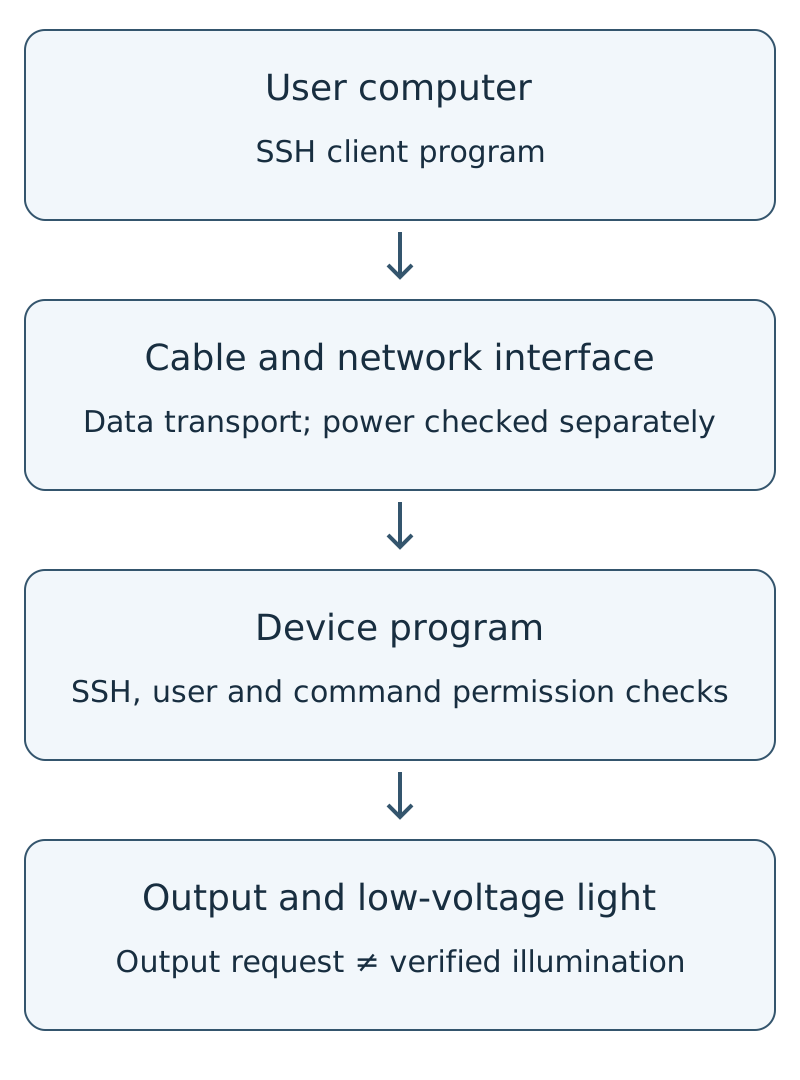
SSH, short for Secure Shell, defines protected communication over a network. Here, the computer runs the client and the device runs a server waiting for connections. “Server” describes a software role, not necessarily a large computer. The cable may pass through a network switch, which connects several devices on the network.
A correctly established SSH connection lets the client verify the server, protects the content in transit and detects unauthorized changes to the data. The server then authenticates the user. The application must still decide which commands that user is allowed to run. Encryption does not make that decision. The SSH architecture specification separates these responsibilities.
A cryptographic key is data used by the protection methods. To identify a server, a client commonly shows its host-key fingerprint, a compact representation used for comparison. Compare it with a trusted value obtained independently. Blindly accepting the first connection or ignoring a changed-key warning may connect you to a different device. A product needs a defined initial-verification and key-management process; the OpenSSH manual explains client behaviour. For the distinction between a key, device identity and where keys are held, see the device identity and keys lesson.
A light example: from on to the requested state
Assume the device program offers only three commands: on requests on, off requests off, and status reads the last recorded request. These belong to our hypothetical application; they are not universal SSH commands. Connecting to a small device does not necessarily provide Linux commands or a general-purpose environment for running programs.
Start with the requested light state off:
| Event | Program decision | What does it establish? |
|---|---|---|
| An unauthenticated user sends on | Reject; leave the output request unchanged | The user has not obtained access to the command. |
| An authorized user sends on | Record an on request | The program accepted the command. |
| The same user sends on again | The requested state remains on | Repeating the request did not reverse the state. |
| The user reads status | Last requested state: on | The requested state is known, not necessarily the light's physical condition. |
That distinction matters if the program activates an output but the light's wire is broken or its power stage fails. Confirming actual illumination needs separate feedback, such as a suitable current or light measurement. Our model has no such feedback.
A microcontroller output cannot power any arbitrary load. An onboard indicator LED is different from an external light, which may require a driver and separate supply. An Ethernet cable does not automatically replace the device's power supply either; receiving power over it requires the appropriate design at both ends. This example concerns low voltage only and includes no mains wiring.
What should happen if the reply never arrives?
Suppose on executes, then the connection drops before its reply reaches the computer. A missing reply does not prove the command failed. If the command means “reverse the state,” retrying it could turn the light back off. Repeating “be on” in our model instead leaves the requested state on. That property is useful when designing commands that may be repeated.
Retrying is not universally safe. Repeating an instruction to move a motor by a specified distance could cause additional movement. The application needs rules for recognizing requests, reporting results and handling lost connections. SSH protects communication; it does not design your application's “do this exactly once” behaviour.
A small data-size example illustrates another boundary. The text on plus a newline occupies three ASCII bytes. A byte contains eight bits, each zero or one. Those three bytes are not the total network traffic: TCP/IP information, SSH framing and connection establishment add work. A short command alone does not establish memory requirements or response time.
Why SSH does not turn a controller into a desktop computer
An operating system organizes tasks such as running other programs and managing resources. Some small devices run without a general-purpose operating system; others use an operating system suited to limited tasks. Offering SSH shows that software implements that protocol and certain services. It does not establish the presence of a filesystem, application installation or every desktop capability.
Working memory and program storage are limited too. Establishing connections and processing cryptography can compete with other work. Response time, simultaneous connections and behaviour after a cable is unplugged need checking on the actual software and hardware. The Raspberry Pi microcontroller introduction describes examples of this class of device. The microcontroller selection guide continues the selection criteria.
What does SSH.RP demonstrate?
The public SSH.RP project at the reviewed revision demonstrates an SSHv2 server on small wired-network hardware with commands for a status LED. Its author describes it as a working demonstration that has not been security-audited. Its documentation also describes a one-session limit and keys stored in firmware, the device-level program. In this implementation, TCP/IP runs in the microcontroller software; a chip having network functions does not mean the application uses all of them.
This is evidence for a particular implementation, not a security or performance endorsement for similar boards. Physical access or readable device memory may expose secret keys; protecting packets on the cable does not automatically protect device storage. Nor should a demonstration's limits be generalized to every SSH implementation. This lesson is not a build guide or product qualification for that project.
An optional exercise without a network
The Python exercise models the same three commands offline. If you know how to run Python, use Python 3.10 or newer with the following command. No additional library is needed:
python command_demo.pyThe file demonstrates an on request and its repetition, then tests access and command logic. It does not implement SSH, encryption, networking or a real board output. Its results apply only to the model's logic; running it is unnecessary to understand the table above.
Three checks before relying on network control
- Destination and permission: Identify the intended device through a trusted process, authenticate the user and grant only the required commands. A wired private network does not replace these checks.
- Result and failure: Distinguish receiving a command, recording a request and observing a physical effect. Define startup, cable-loss and missing-reply behaviour.
- Capability and maintenance: Assess memory, response time, updates and physical protection against the actual need. Making a device reachable from the internet is a separate decision from demonstrating it on a local network.
Continue with the embedded systems learning path for how software, inputs, outputs and testing fit together. The light example is hypothetical. The public SSH.RP firmware was not compiled or tested on hardware for this lesson.
Question and answer article
Ask your technical question
Questions and answers are published after moderation. Authors can see their own pending drafts.
No confirmed questions have been registered for this article yet.