LCD characters scrambled by a DC motor? Trace power and PWM noise
A motor can disturb an LCD through its supply, ground return or control signals. Separate these paths before choosing capacitors, a TVS or an RC snubber.
Contents
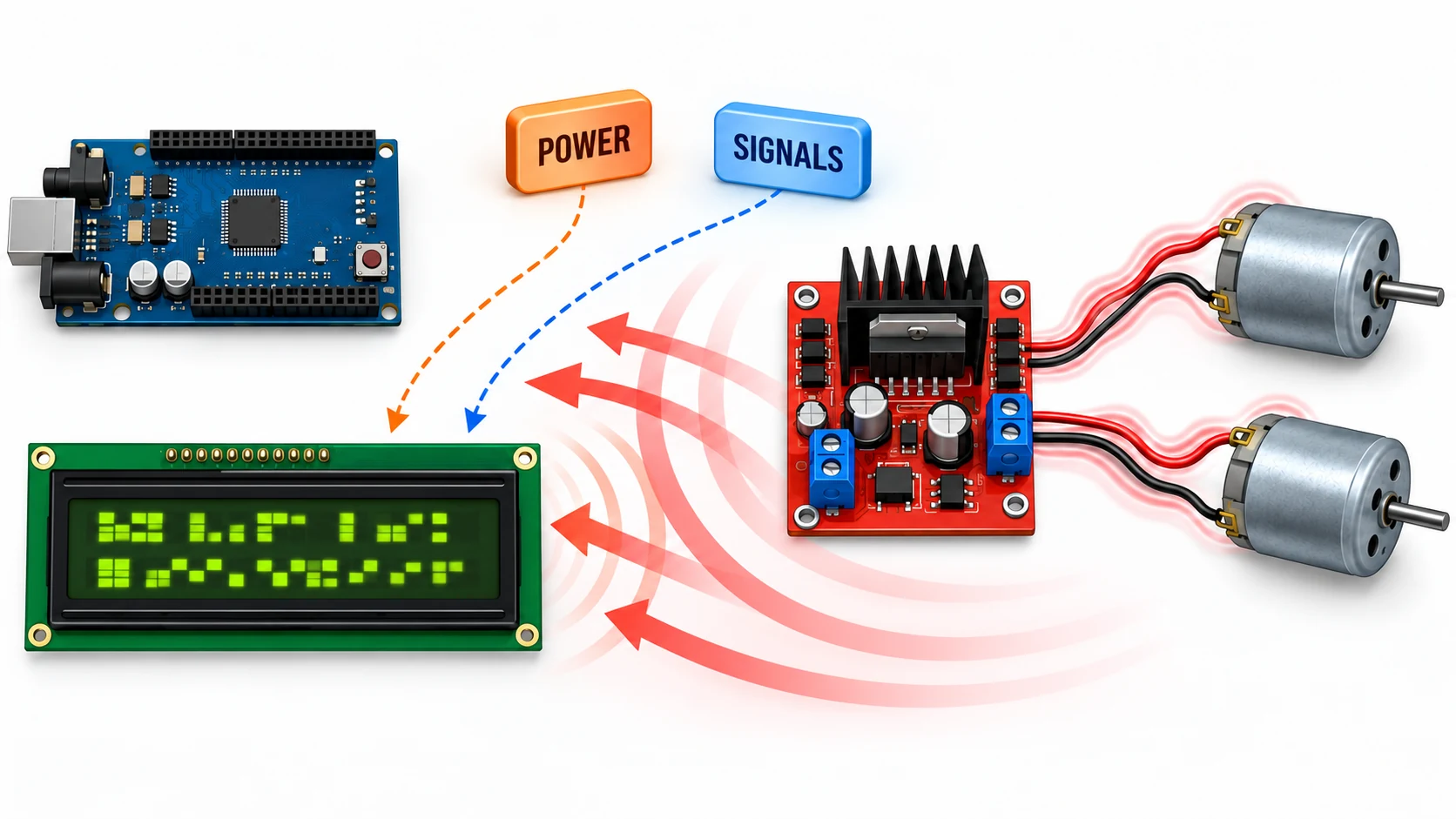
When starting a motor scrambles an LCD, first check the supply and control signals at the display itself. A supply dip, a changing ground voltage and a corrupted command can produce similar symptoms. An overvoltage protector limits certain voltage peaks; supply dips and incorrect commands need their own causes corrected.
A character LCD shows letters and numbers in fixed cells, such as two rows of 16 characters. Its internal controller receives instructions and data and produces the characters. A motor driver is a circuit that switches the current needed to move a motor. Rapid changes in that current can interfere with the display.
What does a link to PWM tell us?
PWM regulates power by repeatedly switching the motor supply on and off. The fraction of each cycle spent on is one factor that affects motor behaviour. A brushed motor can also generate interference at its internal brush contacts. Here, interference means an unwanted electrical change that disrupts a measurement or the reception of a command.
A failure that coincides with PWM edges—the switching instants—is an important clue. It does not yet identify the path. The supply might dip, the ground reference might move, or a display input might see an unwanted transition. The main processor, the component running the device's control program, might even reset while the LCD remains powered.
One volt peak-to-peak does not identify the problem
Peak-to-peak voltage, or Vpp, is the difference between the highest and lowest voltage in the observed interval. It does not tell us either endpoint. Both hypothetical cases below have a 1 V peak-to-peak variation:
| Minimum | Maximum | Difference |
|---|---|---|
| 4.8 V | 5.8 V | 1.0 V |
| 4.0 V | 5.0 V | 1.0 V |
The first highlights an overshoot; the second a supply dip. Neither can be called acceptable without the display specifications. Duration matters too: a long dip and a narrow spike do not necessarily need the same remedy. Check the operating limits and absolute maximum ratings of the actual module and controller. Staying below a damage limit does not guarantee correct operation.
Check the probe connection before trusting the spike
An oscilloscope displays voltage changes over time; its probe connects the instrument to the circuit. A long probe ground lead can pick up changing fields around a motor and exaggerate a spike. For an appropriate low-voltage supply measurement, use a short ground connection or a suitable ground spring beside the measurement point. Put the tip on the LCD supply and the reference on its nearby ground. The Tektronix probe primer explains the effect of the ground connection loop.
Capture the minimum and maximum with DC coupling so the actual voltage level remains visible. Keep a capture with appropriate bandwidth for supply dips and another for fast transients; a bandwidth limit may hide fast peaks. Record the probe setting, connection point, time scale and motor state.
This advice concerns low-voltage measurements with a known ground relationship. Many bench oscilloscope grounds are connected to protective earth. Do not attach that ground to a floating motor-bridge output or disconnect the instrument's protective earth. Measuring between floating points requires an appropriately rated differential probe.
Three paths to corrupted characters
- Unstable supply: The voltage at the LCD or processor leaves its required range. The supply connector and LCD pins need not see the same waveform.
- A shared high-current ground path: Ground carries return current and provides the reference for voltage comparisons. Motor current in a path shared with the display can move that reference. Two points labelled GND on a drawing still have real wire or copper between them.
- A corrupted command: On a parallel interface, E controls when data is accepted and RS selects instructions or character data. An extra E pulse or data changing at the wrong time may corrupt reception. In four-bit mode, each byte is sent in two portions; a misreceived portion can also upset the sequence that follows.
The third is a possible mechanism, not a confirmed diagnosis of this device. HD44780U specifies E timing and an initialization procedure. A module described as “HD44780 compatible” does not necessarily share every electrical specification. The HD44780U datasheet is the reference for this interface explanation.
Improve supply and current paths before selecting a TVS
A capacitor near the load can provide some short-term current. Place suitable high-frequency decoupling across the LCD supply and ground with a very short connection; also inspect local decoupling at an interface adapter. Additional energy-storage capacitance depends on the dip duration, current, source and wiring. A large capacitor at the board entrance does not replace a short local connection at the display.
For a worked example, suppose the display branch needs an extra 50 mA for 100 microseconds and the source cannot provide that extra current during the interval. A milliampere is one thousandth of an ampere; a microsecond is one millionth of a second. With a hypothetical allowable drop of 0.1 V, the ideal-capacitor estimate is:
C = ΔI × Δt / ΔV
C = 0.050 A × 100 × 10^-6 s / 0.1 V
C = 50 × 10^-6 F = 50 µF
The 50 µF result belongs to these assumptions; it is not a recommendation for the reported board. Internal capacitor resistance, wiring, effective capacitance and regulator response add further effects. A capacitor cannot make an undersized source provide adequate continuous current.
Keep the power-current loop compact around the driver and its input capacitors. Do not route motor return current through a narrow LCD or processor ground path. This is not a prescription to cut ground planes indiscriminately: control signals also need continuous return paths. Keep motor wires short, paired closely and away from the display cable. TI's motor-driver layout guide helps assess capacitor placement and current loops.
If the display branch gets a filter or separate regulator, check voltage drop, backlight current and regulator stability. An undamped inductor-capacitor combination can introduce a new oscillation. The brownout troubleshooting lesson covers related supply dips and processor resets.
When a TVS helps
A TVS limits certain transient overvoltages. A “5 V” description is not enough to select one. Check the voltage it tolerates during normal operation, its breakdown point and the voltage remaining while it conducts transient current. That last value is the clamping voltage and may be substantially higher than the nominal label.
The TVS must avoid interfering at the highest normal supply voltage and must protect the load under the expected transient, considering current, temperature and connection impedance. If there is no suitable design margin, that TVS is unsuitable. It neither fills a supply dip nor acts as a precision regulator. TI's transient-protection report explains breakdown and clamping voltages.
A snubber and a motor-current path serve different purposes
Current in a motor winding cannot instantly become zero. Switching therefore requires a suitable path for that current to continue. A flyback diode may provide it in a one-direction switch circuit. In an H-bridge—a circuit that can reverse motor current—the path depends on switch states and the driver's control scheme. Do not blindly add a normal diode directly across a bidirectionally driven motor: it can create a short-circuit path in one direction.
An RC snubber combines a resistor and capacitor to damp ringing: several rapid oscillations after a transition. Its location and values depend on the waveform and circuit. This is not only a start-and-stop issue; PWM edges can repeat the disturbance. Analog Devices' snubber note discusses dissipation and the importance of calculation assumptions.
A capacitor on the driver's outputs is not a universal fix either. It draws current at switching edges, and excessive capacitance can stress the driver. Toshiba's explanation highlights that transient current. Reducing edge speed, where the driver supports it, also requires checking additional losses and temperature.
Why might I²C be better without curing the fault?
I²C carries data over two shared lines. An adapter typically receives those commands and changes the LCD's parallel pins. The display still needs a stable supply and correct timing. For example, PCF8574 is an input/output expander, not a supply protector or an LCD error-correction system. This example does not identify the chip on the reported adapter.
Different wire counts, routing or timing may explain an improvement, but the improvement alone does not prove the cause. Check the pull-up voltage—the voltage resistors apply when a line is released—against the processor input ratings. Not every 3.3 V processor can tolerate lines pulled to 5 V. The NXP datasheet describes that expander family; the I²C troubleshooting lesson continues the line checks.
A test sequence that separates the causes
- Capture supply minima and maxima at the LCD and processor with motors off and running. Keep the probe method consistent.
- Repeat with one motor, then two. Record the main supply, startup, reversal and PWM operation separately.
- Try a suitable clean supply for the logic/display branch while retaining the return reference the interface needs. Do not connect independent supply positives together, and prevent back-powering through data pins. If the fault disappears, distinguish supply improvement from changes to shared ground paths.
- Inspect E and RS, or SDA and SCL, near the display relative to local ground using suitable instruments. A clean reading at the supply connector is insufficient.
- Change one thing at a time. Compare both error occurrence and waveforms, then repeat across actual operating conditions.
If the backlight stays on but characters disappear, also inspect contrast voltage and initialization state. Light does not prove that the controller is healthy. After correcting the cause, full display initialization can be part of fault recovery. HD44780U needs a defined sequence and waits; sending Clear alone is not equivalent to reinitialization. Periodic resets that hide interference are not evidence that the fault has been fixed.
The reported case does not include an exact display model, driver, waveform capture or PCB layout. It supports a troubleshooting sequence, not a specific TVS, capacitor or snubber prescription. The numerical example is a calculation; no hardware test of that device has been performed for this lesson.
Question and answer article
Ask your technical question
Questions and answers are published after moderation. Authors can see their own pending drafts.
No confirmed questions have been registered for this article yet.