Arduino Without delay(): Scheduling Tasks with millis()
Schedule LED flash and serial report without delay; Learn unsigned difference, millis overflow, fallback policy and sensor conversion with Uno example.
Contents
.jpg)
Short answer: check elapsed time, don't wait
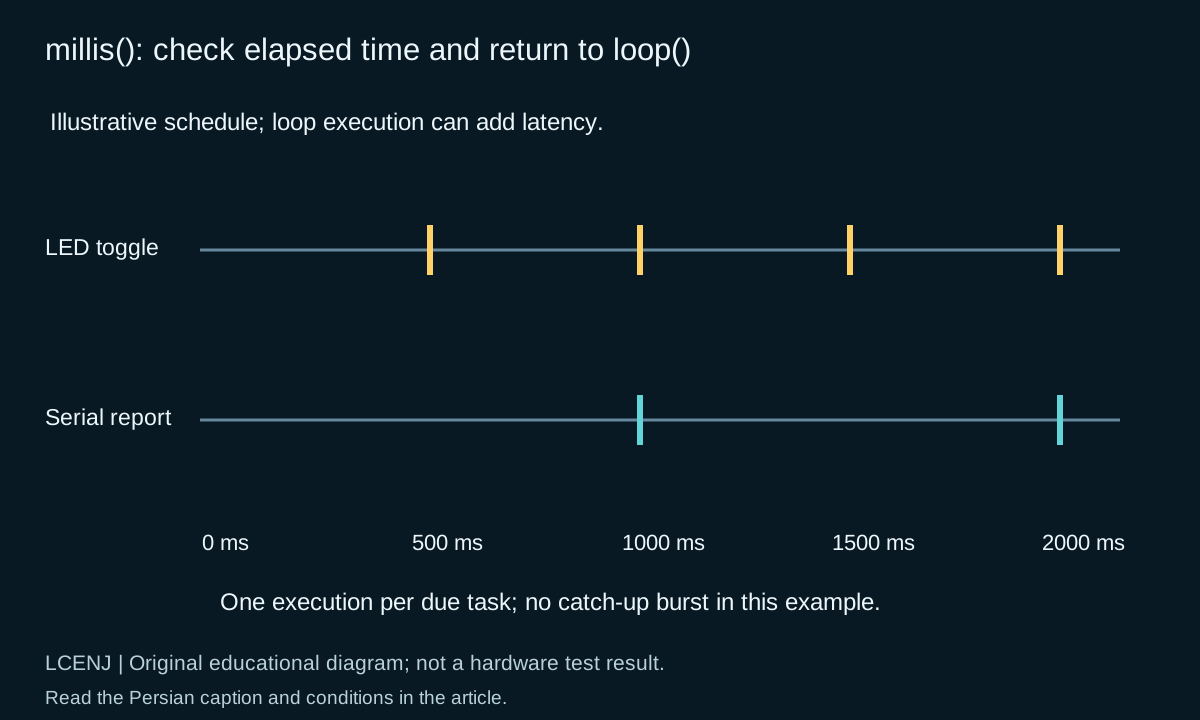
Instead of keeping the program at one point with delay, read the current time and see if each task is due. Each task should execute briefly and return control to the loop. This method advances several tasks in a loop; It doesn't mean real-time CPU execution or hard real-time guarantees.
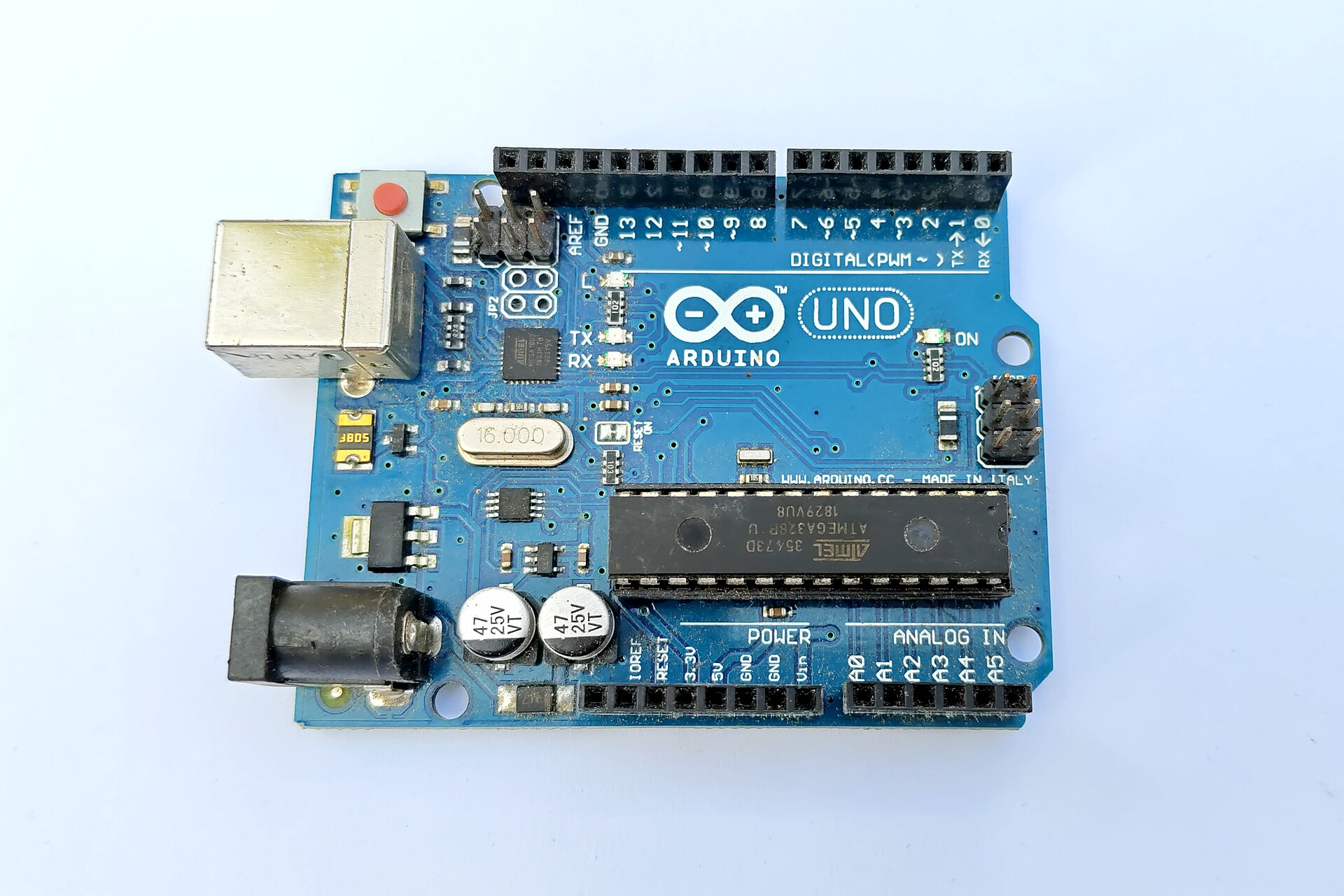
In the example of this article, the Uno's internal LED changes state every 500 ms and a serial report is recorded every 1000 ms. An external sensor is not required. The output is the running time of the program and the dummy sensor data is not represented as a real measurement.
Why is now >= last + interval not a good choice?
millis on the Uno is a 32-bit unsigned counter and cycles through after about 49.7 days. Comparison with the sum of a term can behave unfavorably near this limit. For short intervals and by regularly checking the loop, compare the unsigned difference with the desired interval.
if (uint32_t(now - last) >= interval) {
    last = now;
    // one bounded operation
}
Numerical example: if last equals 0xFFFFFFF0 and now after overflow equals 0x00000010, the unsigned 32-bit difference equals 32 ms. For the interval of 32 ms, the deadline has arrived and for 33 ms it has not yet arrived. This method does not allow arbitrary intervals or stopping the program for a full counter cycle; In this example, the distances are very small and are checked regularly.
Complete dual task code for Uno R3
#include <Arduino.h>
#if !defined(ARDUINO_AVR_UNO)
#error "This example is qualified for Arduino Uno R3 only."
#endif
constexpr uint32_t BLINK_MS = 500UL;
constexpr uint32_t REPORT_MS = 1000UL;
uint32_t lastBlink = 0, lastReport = 0;
bool ledOn = false;
void setup() {
  pinMode(LED_BUILTIN, OUTPUT);
  digitalWrite(LED_BUILTIN, LOW);
  Serial.begin(115200);
  lastBlink = lastReport = millis();
}
void loop() {
  const uint32_t now = millis();
  if (uint32_t(now - lastBlink) >= BLINK_MS) {
    lastBlink = now;
    ledOn = !ledOn;
    digitalWrite(LED_BUILTIN, ledOn ? HIGH : LOW);
  }
  if (uint32_t(now - lastReport) >= REPORT_MS) {
    lastReport = now;
    Serial.print(F("uptime_ms="));
    Serial.println(now);
  }
}
In setup, the time base of both tasks is taken from the same moment of starting. In the loop, we have a snapshot of millis so that the decisions are based on common time. The program does not use Serial.printf and does not require additional libraries. The download version is identical to the text of this example and is compiled for Uno R3; No physical connection or measurement has been performed.
What is your policy if the program is delayed?
| method | behavior | Possible application |
|---|---|---|
| last = now | a performance; It does not convert the backlog into a queue | Status report or training flash |
| last += interval | Faz keeps deadlines better; There may be some backlogs | Work with specified policy for missing samples |
| Rebuild multiple times in while | It can extend the duration of the loop | Only with a ceiling on the number of executions and a clear need |
In this article, the first method is chosen. If the loop is busy for a long time, the LED will not blink multiple times to compensate. This decision does not produce accurate, slip-free timing. For accurate sampling, check the hardware timer, interrupt, and delay limits as needed.
Removing delay doesn't make everything non-blocking
Long sensor readings, network waits, endless loops, and even overprinting on serial can stop the path. Check each operation for maximum execution time and have Timeout for error and limited number of attempts. A while that waits for the fragment to be ready is just another form of waiting.
For DS18B20 it is possible to separate the start of conversion from reading the result: record the "Converting" state and read the result after the appropriate time of the selected resolution. There is an example of this path in the DS18B20 manual. Don't confuse not starting a new conversion and reprinting the previous number with a new sample.
How to test timing?
Don't limit the test to just one minute of LED flashing. In software testing, run the compare function with times close to overflow, one millisecond ahead of schedule, and exactly on schedule. The accompanying Python file checks these modes without waiting 49 days. This test verifies the calculation behavior; It does not verify the actual pin and clock of the board.
On the product, record the worst performance period and the age of the last valid data. If you are adding network or storage tasks, repeat the test during the error and disconnection as well. For PWM output, what is the interference of timers in PWM? Frequency difference and Duty Cycle with Arduino example and for real Reset, Why does ESP32 reset? See Brownout and power troubleshooting.
Common questions and follow-up exercises
Does millis limit the number of tasks?
The main limitation is the execution time of each task, memory and board resources. A hundred scheduling conditions do not lighten a heavy task.
Is int suitable for storing millis?
In this example, no; Keep the 32-bit unsigned type and calculation the same so that the value is not prematurely terminated or negative.
Why is the LED time not exactly 500 ms?
The work in the first round of the loop is executed after the deadline, and the time resource itself is limited. For higher accuracy, you should choose another method and witness.
Exercise: Add a third task to capture state, then intentionally create a slow task and capture its effect on the other two tasks. Then break the slow task into short steps and compare only this change.
Official sources and accompanying files
Technical resources were reviewed on 10/13/2026. Match the version and model of your part with the related document.
Get the decision sheet and test registration (CSV); The full package of the article and accompanying files are available from the download section of this page.
Compilation method: preparation and technical review with the help of artificial intelligence tools, official sources and computational examples. Hypothetical numbers are labeled as examples; Compilation or software testing does not replace real part and circuit testing.
Question and answer article
Ask your technical question
Questions and answers are published after moderation. Authors can see their own pending drafts.
No confirmed questions have been registered for this article yet.