Device memory: why code survives while some settings disappear
Programs, saved settings and working data serve different roles. A blinking-light example explains SRAM, Flash, MRAM and what happens after power is removed.
Contents
A device's program, the user's selected settings and temporary working data are different things. The program usually resides in memory designed to retain information after power is removed. A setting returns only if the software saves it correctly and restores it at startup. Data held solely in ordinary SRAM cannot be relied on after its retaining supply is lost.
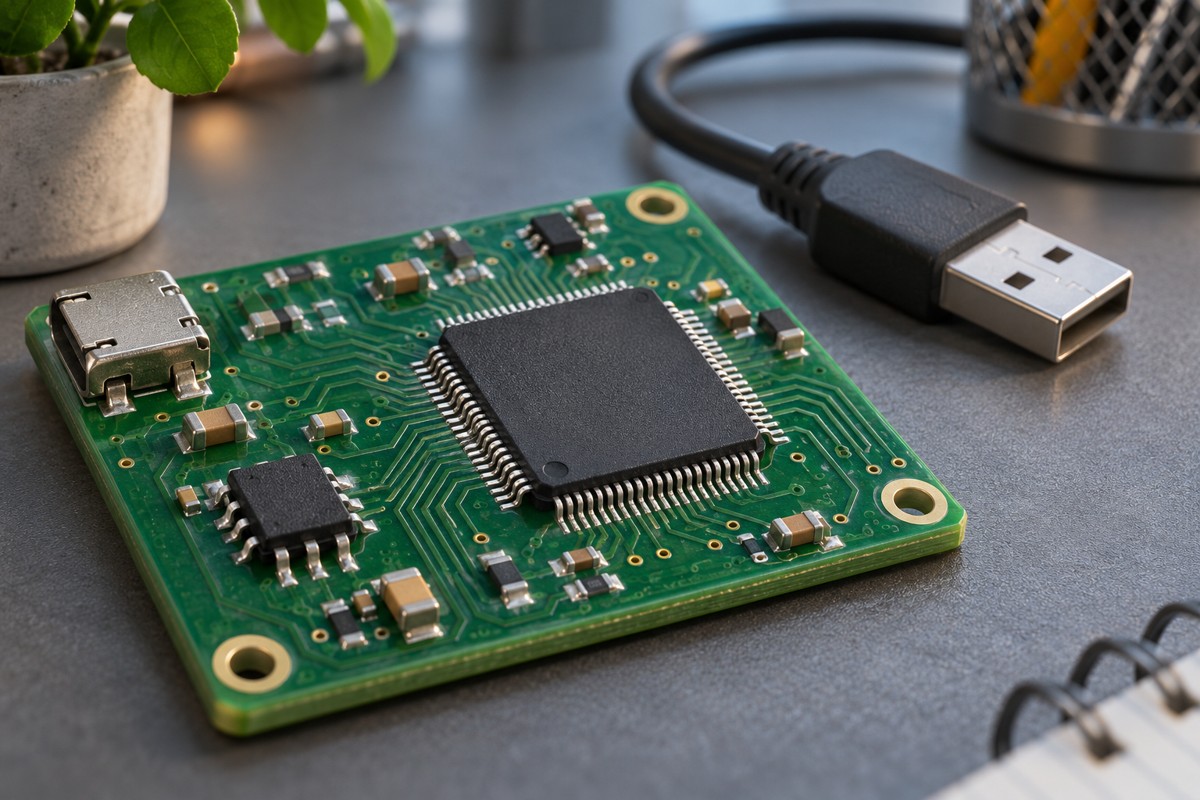
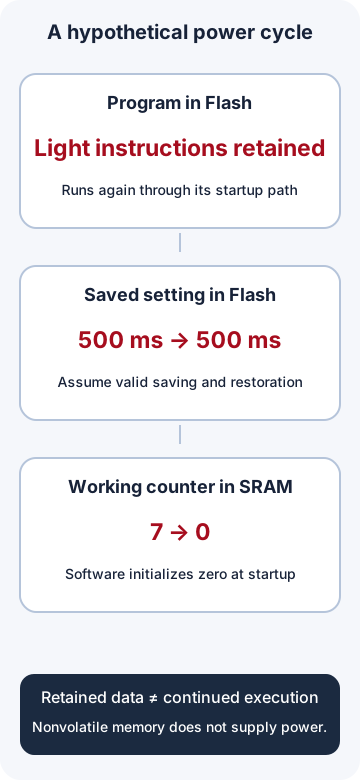
Consider a hypothetical blinking light. Its program determines what the light does, the user selects the interval between changes from on to off or off to on, and a working counter records those changes. After a power cycle, the same program might run and the previous setting might return while the counter starts at zero. That is not necessarily a memory fault: it depends on where the data lives and what the program does at startup.
Programs, settings and working data have different roles
A program is a set of instructions that determines behaviour. Software installed on a device is also called firmware. A microcontroller is a component that can execute instructions and control inputs and outputs. The microcontroller and selection guide provides a useful introduction.
| Stored information | In our light | Expected after startup |
|---|---|---|
| Program | Instructions to load a setting and change the light's state | Execute again through its startup path. |
| Saved setting | A 500 millisecond interval | Use it again if saving and validation succeeded. |
| Working data | Seven state changes during this run | Our program initializes this counter to zero. |
These are information roles, not necessarily three separate chips. Flash might have one area for code and another for settings. Some devices use separate memories; others copy parts of a program elsewhere for execution. A file name or a variable declaration alone does not establish its actual storage location.
Volatile and nonvolatile memory
Volatile memory needs power to retain data. Ordinary SRAM is a common example used for fast working data. Nonvolatile memory is designed to retain information after its supply is removed; Flash and MRAM are examples. Nonvolatile does not mean permanent, unchangeable or immune to failure. Temperature, service conditions and specified retention limits matter.
Microchip's memory overview distinguishes typical program Flash, nonvolatile data storage and SRAM roles. “RAM” alone is not a synonym for volatile: MRAM includes RAM in its name but is nonvolatile. Identify the actual memory technology.
Removing the main supply does not always remove every supply. A backup battery may still power part of the memory. Conversely, unpowered SRAM contents should not be trusted; this does not mean every cell necessarily becomes zero. Our light's program explicitly initializes its counter to zero at startup.
Changing a value is not the same as saving it
Assume the default interval between light-state changes is 1,000 milliseconds, or one second. The user changes it to 500 milliseconds, or half a second. If only the working value changes, the light responds immediately, but the next startup may load the default 1,000 milliseconds again.
If software saves 500 in the nonvolatile settings area and validates it at startup, it can restore that value. Here the interval is between state changes: 500 milliseconds on and 500 milliseconds off produce a complete one-second cycle. These are hypothetical timings, not a board measurement.
A processor does not keep executing instructions without power. Retained memory bits do not make an unpowered device operate. On power-up, the device follows its startup sequence, creates working data and loads valid settings. Resuming at the exact previous point requires additional saved state and a recovery design; nonvolatile memory alone does not provide it.
Reading, writing and erasing Flash
Reading retrieves stored data; writing changes it. In many Flash memories, programming a prepared location differs from returning all its bits to an erased state. Rewriting a location may first require erasing a page or block: a group of memory cells whose size depends on the device.
Changing one small setting may therefore require managing a larger region. Conversely, writing an already erased location does not necessarily require another erase immediately beforehand. Obtain permitted write/erase counts, operation sizes and timings from the particular memory's specifications. A software variable's size is not the hardware erase size.
EEPROM is another nonvolatile memory technology used for updatable data in some devices. Emulating EEPROM in Flash means software manages programming and erasing to make Flash suitable for settings; the name does not turn the physical Flash into EEPROM. ST application note AN4894 describes one implementation for supported families, not an algorithm to copy unchanged to every microcontroller.
What if power fails during a save?
Nonvolatility does not guarantee a correct unfinished write. A supply failure during programming or erasing may leave the new value or part of the affected region invalid. Displaying “saved” before completion and confirmation can mislead the user.
A robust design needs a way to recognise valid data, select an earlier version after a failed update and use a safe default. Keeping the old version until the new one is valid is a useful principle, but the details depend on programming units, erase units and that memory's power-failure behaviour. AN4894 includes data and page-state recovery; a simple extra check at the end of an application does not replace that design.
Error detection also differs from protection against deliberate modification. For example, a CRC is a number that helps detect certain data errors. It does not by itself establish who wrote the data. The device identity lesson extends the discussion of identity and keys.
What does MRAM change?
MRAM stores information using magnetic states. It does not depend on the continuous retaining supply that ordinary SRAM needs. Everspin's technology explanation illustrates magnetic storage. MRAM names a memory technology; it does not make every device's capacity, interface, speed or compatibility identical.
MRAM can support overwriting without Flash's physical erase mechanism, but this does not make every write size or access time permissible. For example, the Renesas RA FSP MRAM documentation describes access restrictions while code memory is modified and even an operation named erase for bulk overwriting. A software operation's name does not establish the physical Flash mechanism. That document concerns the RA devices listed on its page.
A memory useful for frequent parameter updates is not automatically a drop-in replacement on any board. The controller must support its interface and access method, and software must use it. MRAM also does not automatically make an interrupted multi-step update complete and valid.
Worked capacity example: more Flash does not fix insufficient SRAM
A byte is a unit of data size and normally contains eight bits; a bit can be zero or one. Here, KiB means 1,024 bytes. Suppose the code-and-settings store has 32 KiB, the program occupies 24 KiB, and another 4 KiB is reserved:
remaining_storage = 32 - 24 - 4 = 4 KiB
4 KiB = 4096 bytes
Now suppose we keep 100 samples, each containing two measured values of two bytes each. This working-data array needs 400 bytes:
100 samples × 2 values/sample × 2 bytes/value = 400 bytesIf software creates that array in SRAM, it must fit the SRAM budget, not merely the four remaining KiB of nonvolatile storage. Other variables and execution requirements use working memory too. These capacities are hypothetical. A compressed program or downloaded file's size is not necessarily the device's actual memory consumption. Interpret KB, KiB and bits using the specification's definitions.
Should every measurement be saved?
One logical save per second means 86,400 saves a day. One per minute means 1,440, a sixty-fold reduction in save requests:
24 × 60 × 60 = 86400 saves/day
24 × 60 = 1440 saves/day
86400 / 1440 = 60
This calculation does not predict Flash lifetime. One application save does not necessarily equal one physical page-erase cycle. Software may collect records, move their locations or suppress unchanged writes. Choose the save interval using acceptable data loss, memory specifications and power-failure behaviour. A device does not universally need to retain every working sample forever.
Separate the observations when diagnosing a problem
- Identify what should survive: the program version, a user's setting or a working counter.
- Distinguish the displayed value from the value actually stored. Completion and errors must be observable.
- After startup, record the program version, restored setting and reason for using a default. Do not treat corrupt data as a valid zero.
- When memory is insufficient, inspect code storage and working-memory use separately. Adding the wrong type does not necessarily help.
- Test interrupted writes only on test hardware with recoverable data. Repeated power cuts during writes can corrupt data or the program.
The offline light and memory-capacity exercise models saved and unsaved settings, counter initialization and the arithmetic above. It does not write a board's memory or test hardware power-failure resilience. The embedded systems learning path connects inputs, programs and device behaviour.
Question and answer article
Ask your technical question
Questions and answers are published after moderation. Authors can see their own pending drafts.
No confirmed questions have been registered for this article yet.