Analog vs Digital Sensors: Wiring and Reliable Data
Separate analog output, digital data, threshold output and pulse interface; A guide to reading the specifications and finding the error location in the measurement path.
Contents
Sensors Laboratory • 18 Mehr 1405
Separate analog output, digital data, threshold output and pulse interface; A guide to reading the specifications and finding the error location in the measurement path.
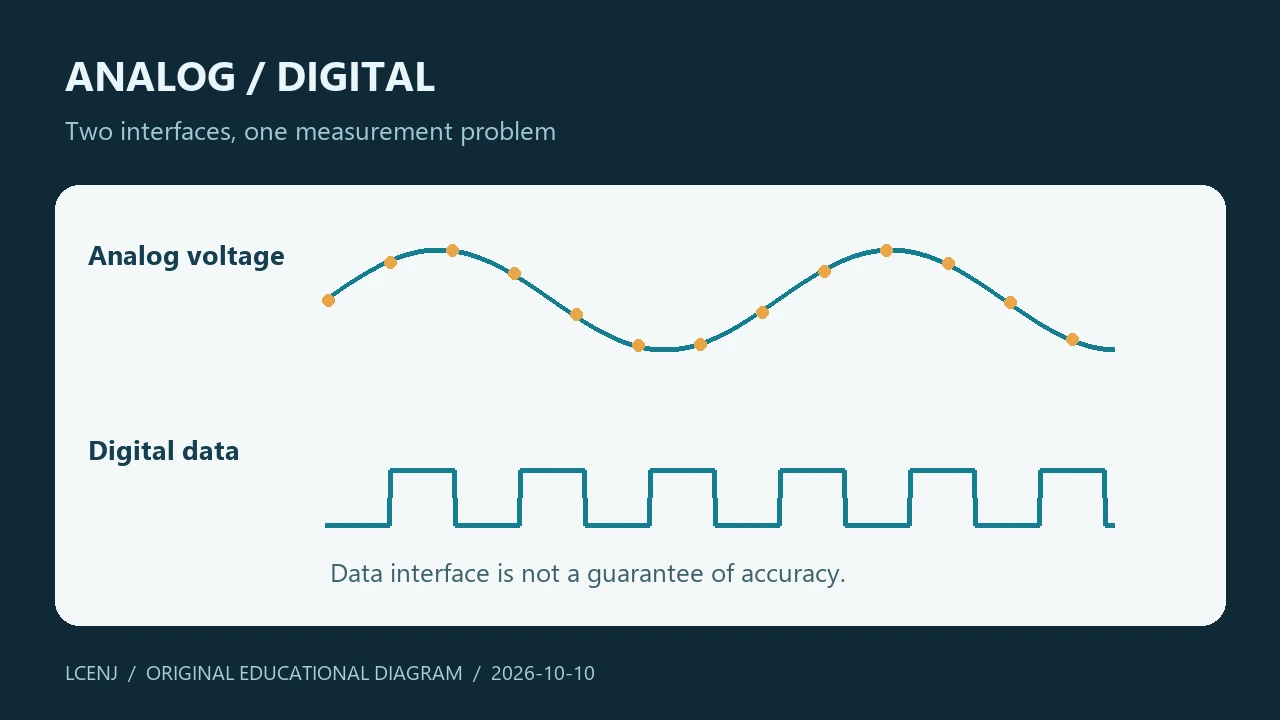
1. Being digital is about the way out
In an analog sensor, the readable output is usually a voltage, current, or change in an electrical characteristic. To convert it into a number, we need a reading circuit and often an ADC. In a digital sensor, data is received from a specific interface; The internal conversion, registers and data format are explained in the datasheet of the same part.
The word digital does not mean that the sensor is error-free or always more accurate. Make your choice by margin of error, installation, response speed, and interface quality. If a digital temperature sensor is installed next to the hot section of the board, it may accurately report the temperature of the same hot spot, when your target was the room air temperature.
2. Four types of output that we should not confuse
| output | given meaning | Reading path |
|---|---|---|
| analog | The electrical constant value depends on the quantity | Input circuit and ADC |
| Digital with protocol | Data words and status according to datasheet | I²C, SPI or component specific interface |
| a threshold | Crossing or not crossing a limit | Digital input |
| pulse | Number, frequency or duration of pulses | Counter or time measurement |
Having two pins AO and DO on one module does not mean having two different sensors. AO can be the output of the measurement and DO just the result of the comparison with the threshold. The exact value of the quantity cannot be reconstructed from a thresholded output. Check the board shape and the comparator circuit.
3. Analog Path: The ADC number is not yet a physical unit
In the Arduino-ESP32 documentation, the function analogRead returns the raw value and analogReadMilliVolts returns the calibrated voltage value. This difference is related to the voltage conversion stage; After that, it is still necessary to convert the sensor into a physical unit and check the input circuit. ADC calibration is not a substitute for checking the sensor.
Do not place the board supply voltage as ADC reference for no reason. Measurable range, input attenuation and suitable pins are different in ESP32 families. If the output is fixed near the end of the range, first check the possibility of saturation. Averaging over a saturated value does not return missing information.
4. Digital path: healthy communication and valid data
In the digital interface, address, command, number of bytes, order of bytes and unit conversion must be correct. Successful initial communication is only one step. The program must know that the newly received data is complete, and the correctness of the data required for the part has been checked.
For example, responding to an address in an I²C scan does not prove the identity or complete health of the sensor. After detecting the address, check the ID register or document command of the same part. If there is another device on the bus with the same address, it is not enough to simply see that address in the scan output.
5. Read the voltage level independently of the output type
Feed compatibility and signal compatibility are two separate issues. A module may use a larger input power supply, but its output or pull-up resistors are connected to a voltage that is not suitable for the microcontroller. Before connecting, match the actual path of the signal base and the permissible input specifications.
For initial testing, use only one module and short wires. If you need to convert the surface, choose a circuit that is compatible with the direction and structure of the interface. Choosing a one-way circuit for a two-way bus can create a new problem; Specify the interface type before selecting the converter.
6. Exercise: mark the error location
Write this chain on paper: environment → sensor → input circuit or interface → unit conversion → display. Define a testable token for each step. In the analog way, the output voltage can be checked with a suitable tool; In the digital path, the response length and communication status can be recorded.
Change only one variable: first the wiring, then the interface setup, then the conversion function. If you make three changes at the same time, the cause of the improvement will not be known. Save the raw value and the converted value together; This helps to separate the interface error from the formula error.
7. Selection criteria for the next project
Decide on cable, environment, number of sensors and repair method. The digital interface can simplify the conversion path on the control board, but it still has electrical and protocol limitations. The analog path is also useful with proper design, but the quality of the reading circuit and measurement reference must be seen in the evaluation of the whole system.
Avoid comparing only the number of bits or the price. For each option, write what you get directly, what needs to be calculated, and how you detect the error condition. This paper is more practical than a general verdict on whether analog or digital is better.
Exercise files and the next step
Get the practice sheet and accompanying files (ZIP)
The files are prepared for the training exercise. Software testing does not take the place of testing your actual parts and wiring.
Frequently asked questions
Does the DO of a module give the exact value of the sensor?
Often the output is threshold; Read its exact meaning from the circuit and documentation of the same module.
Does analogReadMilliVolts give temperature directly?
no Its output is voltage and must be converted to temperature with the actual sensor and circuit conversion function.
Does the I²C response mean the sensor is healthy?
no The initial response only indicates the presence of a single responder; The data and condition of the part must be checked separately.
Official sources
Technical resources reviewed on 10/10/2026. For hardware implementation, match the model and version of your part's documentation.
Question and answer article
Ask your technical question
Questions and answers are published after moderation. Authors can see their own pending drafts.
No confirmed questions have been registered for this article yet.