What Is a Sensor? Choosing Sensors for Real Projects
From physical quantity to software decision: sensor, module, and measurement system differences, sensor selection, and a hands-on exercise without making a hasty purchase.
Contents
Sensors Laboratory • 18 Mehr 1405
From physical quantity to software decision: sensor, module, and measurement system differences, sensor selection, and a hands-on exercise without making a hasty purchase.
1. Let's start with the problem, not the module name
Suppose we want to find out about the heating of a device. Before choosing the piece, we must clarify whether it means the temperature of the air or the body temperature of a piece; Is the warning a few seconds later acceptable or do we need a quick reaction? These two questions can change the sensor selection and installation location. A good sensor in the wrong place produces the wrong data.
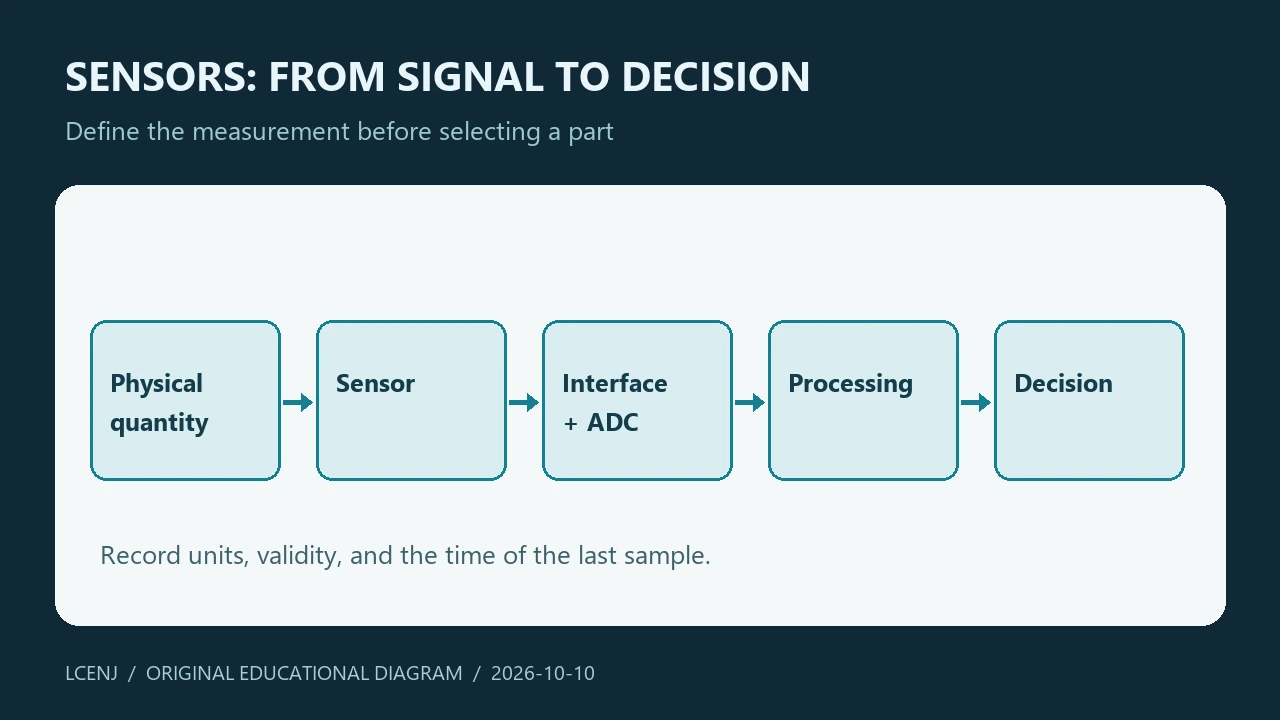
In project language, a sensor is a part that responds to a physical quantity and converts it into a usable output. The measurement system includes the complete path of receiving, converting, processing and displaying. Therefore, the number we see on the screen is not just the result of the sensor itself; Wire, power supply, reading circuit and program also contribute to it.
2. Sensor, module and device are not the same thing
| name | What do we deliver? | What should be checked? |
|---|---|---|
| Sensor or IC | Sensing element or measurement chip | Manufacturer's recommended pins, power supply, output and circuit |
| The module is ready | Sensor with board and auxiliary parts | Regulator, resistors, interface and actual board quality |
| Measuring device | Sensor assembly, circuit, software and housing | Specifications of the whole device and calibration method |
The presence of a regulator on the module alone does not mean that all the bases are compatible with every voltage. Put together a picture of the board, the schematic and the specifications of the chip. Don't automatically generalize IC specifications to the entire module; Installation and peripheral circuit can limit the result.
3. Useful categories to get you started
| quantity | Application example | Example of available training |
|---|---|---|
| Temperature and humidity | Environmental and housing monitoring | SHT31 and DS18B20 |
| the light | Room lighting monitoring | BH1750 and LDR |
| Distance and level | Detection of liquid position or height | VL53L0X and HC-SR04 |
| Weight and flow | Scale or electrical load monitor | HX711 and ACS712 |
| movement | Detection of presence or change of status | PIR and MPU6050 |
These categories are based on what we want to measure. Another classification is based on output: analog, digital with protocol, pulsed, or simply on/off. Quantity selection and interface selection are two separate decisions. An on/off output may only indicate the occurrence of an event and not quantify it.
4. Follow the output to the actual unit
In an analog path, voltage or current is applied to the input of the readout circuit. In the digital path, part of the conversion may be done on-chip and the microcontroller receives the data from an interface. For example, the LM35's official page lists it as a temperature sensor with analog output, while the SHT31 provides temperature and humidity data from a digital interface.
Logging the raw value is useful for troubleshooting; But don't call the raw value "actual temperature" or "percent humidity" without a conversion function and units. Write three columns in the project notebook: input data, conversion method and output with units. If one of these columns is unknown, the measurement path is not yet complete.
5. Five questions before choosing
- What is the required quantity and interval and what happens outside this interval?
- What is the acceptable margin of error for a project decision and how do we test it?
- How is the installation location, contact with water, dust and heat transfer?
- Are the interface and voltage level compatible with the control board?
- If the data is interrupted or invalid, how does the system indicate the error status?
Answer these questions with a real example. For the approximate representation of room temperature and for the control of a sensitive process, the selection criterion is not the same. Also, the data transmission speed is not equal to the physical response speed of the sensor; Sequential reading does not necessarily create new information about the environment.
6. Practical exercise: Create a requirement sheet
Without ordering parts, choose a small project: monitoring the air temperature inside the box. Write the purpose in one sentence and specify whether the sensor should measure the air or the hot part. Then record the proposed installation location, comparison method with the reference, time to wait for stabilization, and error display format.
The checklist file with the article is for this purpose. When testing, put the sensor and the reference in the same position; Shifting reference between two points can confuse environmental difference with sensor error. Just change the installation location once and keep the result. This simple experiment is usually more informative than randomly swapping modules.
7. When are we ready to build?
When we can explain what we are measuring, where, with what unit and for which decision. The next step is to select a specific sample and study the data sheet of the same sample. Use the site's project tutorials for wiring and adapt your board specifications separately.
It is not necessary to buy a special part for this article. Start with the sensor you have and record its limitations. If you need to buy later, check the exact part code, IC and module difference and voltage compatibility from the seller; The generic name "Temperature Sensor" is not enough to order.
Exercise files and the next step
Get the practice sheet and accompanying files (ZIP)
The files are prepared for the training exercise. Software testing does not take the place of testing your actual parts and wiring.
Frequently asked questions
Is a ready-made module always more accurate than a raw IC?
no Peripheral circuitry and mounting can be helpful or limiting; The specification of the whole module should be checked.
Does the digital sensor need calibration?
Being digital is the type of output. It is still necessary to check the measurement error and installation conditions.
What should I buy to get started?
First, specify the target, range, installation and interface. No special purchase is necessary to practice this article.
Official sources
Technical resources reviewed on 10/10/2026. For hardware implementation, match the model and version of your part's documentation.
Question and answer article
Ask your technical question
Questions and answers are published after moderation. Authors can see their own pending drafts.
No confirmed questions have been registered for this article yet.