Temperature and Humidity Sensors: Troubleshooting Wrong Readings
Before replacing the sensor, check the installation location, heat transfer, air exchange and data validity; A stepwise method for reference comparison.
Contents
Sensors Laboratory • 18 Mehr 1405
Before replacing the sensor, check the installation location, heat transfer, air exchange and data validity; A stepwise method for reference comparison.
1. A difference in number is not always a failure
A sensor next to the regulator and a thermometer on the table do not necessarily see the same environment. Before manipulating the coefficients, determine whether the purpose of measuring the temperature of the air outside the chamber, the air inside it, or the temperature of a part. Then check that the reference and the sensor are really in the same state.
The humidity data is also dependent on the temperature conditions of the sensor location. When the installation causes localized heating, the humidity difference can be seen along with the temperature difference. For this reason, correcting a number with a fixed offset without checking the fit may only make one test case beautiful and give an incorrect result in the next case.
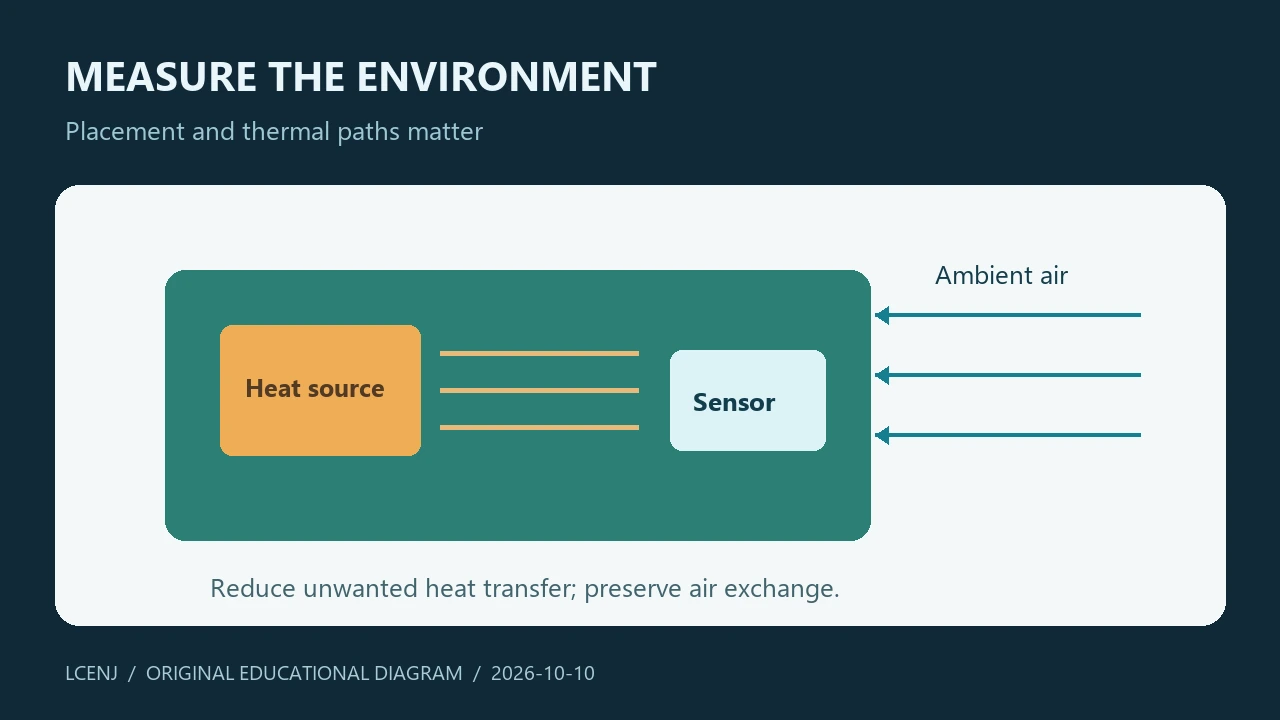
2. Isolate the heat of the board from the environment
Sensirion's design guidelines emphasize reducing the thermal coupling of the sensor to the hot parts of the device and its proper contact with the environment. See the copper path, housing, internal hot air and the location of high consumption parts in the design. The goal is for the sensor to see the quantity that the project needs.
For troubleshooting, record the consumption and status of the device: Is the wireless connection active? Is the display on? Is the processor or regulator overheated? Then change just one factor and compare the trend of the number. Gradual warming after turning on can be a sign to check for heat transfer, but doesn't prove the cause by itself.
3. Compartment and response time
The sensor behind a closed enclosure does not immediately follow the behavior of the free environment. The path of air exchange, the volume around the sensor and the location of the valves are seen in the response. If the reference is outside the container, first separate the effect of the container from the comparison of the part itself.
Save the time with the data for the test. Instead of choosing a general waiting time, observe the trend towards steady state. Direct touch, breathing near the sensor, or moving between two environments can change the test. Note these occurrences so they are not interpreted as unknown noise later.
4. Check the health of the data before modifying the number
| sign | Initial review | What to record? |
|---|---|---|
| The number is the same every time | Fresh data or stored value? | Time of last successful download |
| Sudden big jump | Incomplete response, unit or bytes conversion | Communication status and raw data |
| The temperature rises after switching on | Heat transfer and consumption change | Time, device mode and installation location |
| The humidity is different between the two devices | Temperature conditions and location of two sensors | Simultaneous temperature of both places |
| The difference after changing the chamber | Air exchange and new position | Photo and description of the installation status |
If the fragment protocol has data validation, perform the same documented procedure. Do not replace the invalid answer with the previous value and then mark it as "new reading". The last valid value can be displayed, but its age and disconnected status must be specified.
5. A repeatable comparative experiment
- Write the sensor model, board version, power status and reference.
- Place the sensor and the reference with the same environmental conditions and keep the time trend.
- Do not change device consumption and installation location during a registration.
- In the next experiment, change only one of the factors, such as distance from the board.
- Check variance and dispersion separately; An average alone is not enough.
If the difference decreases after the change of location, this evidence favors the role of installation. Repeat the test for a stronger result. Do not derive guaranteed accuracy for the entire temperature and humidity range from a short comparison.
6. Registration file with the article
The CSV file attached to the article has columns for time, temperature, humidity, reference, data status and installation notes. Use it as a template; We have not put real sample data in it. Writing the unit in the column name helps not to confuse relative humidity percentage with another quantity.
To check the file, you can open it in a spreadsheet tool and plot the temperature and humidity in two separate graphs. On the diagram, mark the moment when the device is turned on or the installation is changed. This training method helps you distinguish a communication jump from a slow change in environment.
7. When should we go to calibration?
Once we have fresh and valid data, the installation is fit for purpose and the reference is in the proper comparison state. If the discrepancy still remains, check the specifications of the same model and test range and evaluate the correction method with independent points.
Do cleaning, use of internal heater or reconditioning only according to the instructions of the manufacturer of the same part. This article does not provide general instructions for applying heat or detergent; An improper method can change the sensor itself or the test result.
Exercise files and the next step
Get the practice sheet and accompanying files (ZIP)
The files are prepared for the training exercise. Software testing does not take the place of testing your actual parts and wiring.
Frequently asked questions
Does the difference between two thermometers mean that one is broken?
no Installation location, environmental conditions and reference limits should be checked first.
Does fixed offset solve all errors?
no Error due to heat transfer or variable conditions may not be constant.
What to do with old data?
Show the time of the last successful reception and the status of the connection, and do not mark it as a fresh read.
Official sources
Technical resources reviewed on 10/10/2026. For hardware implementation, match the model and version of your part's documentation.
Question and answer article
Ask your technical question
Questions and answers are published after moderation. Authors can see their own pending drafts.
No confirmed questions have been registered for this article yet.